
Anniversary SaleFlat 25% off this product until 30 November
Managed healthcare billing automation
CollaborateMD Salesforce integration
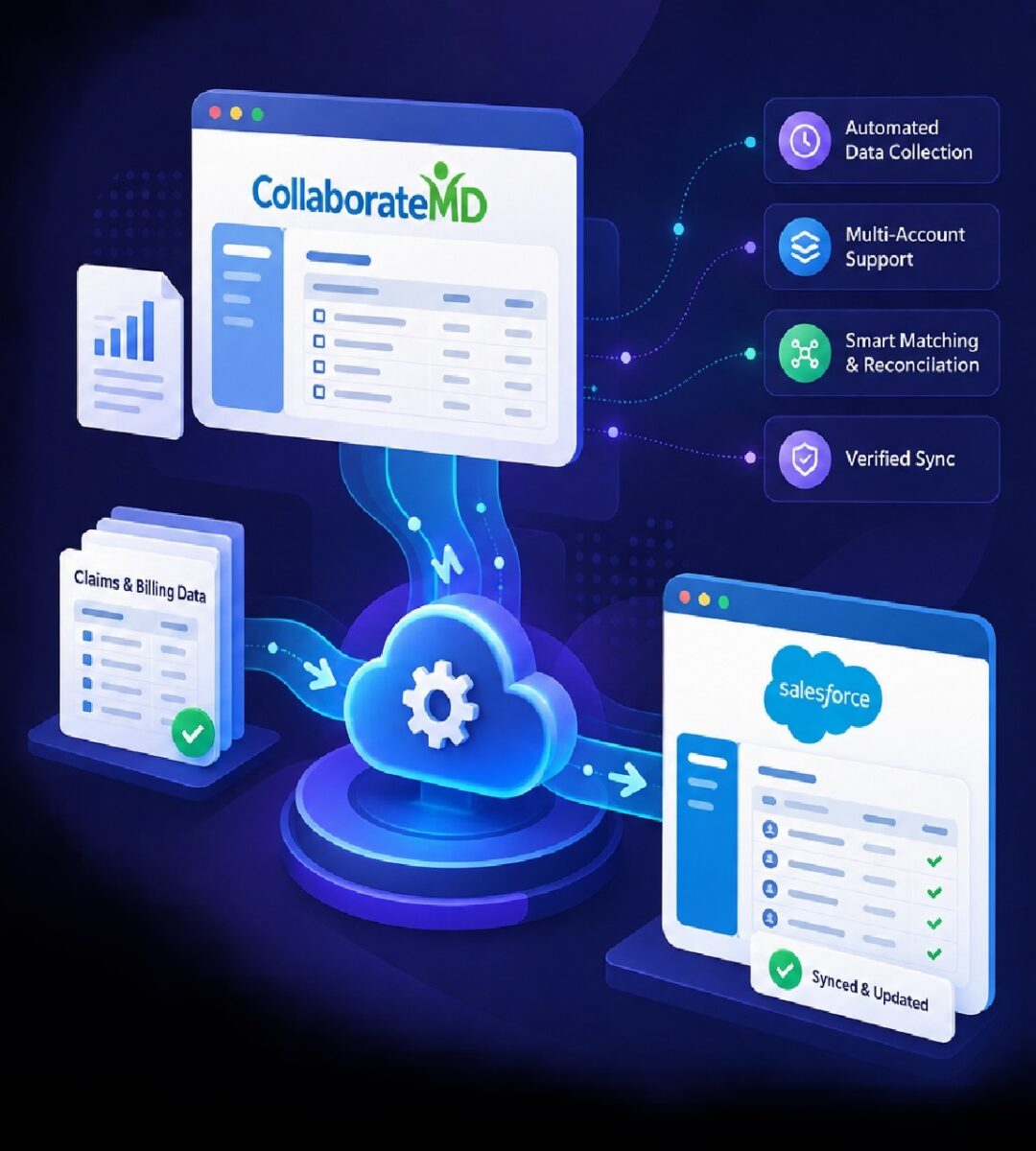
Keep CollaborateMD billing and claims data synchronized with Salesforce automatically, without making Scheduled Reports the only path to automation and without your billing team exporting and reconciling data every day.
- Works with limited reporting access
- Multi-account & multi-facility
- Fully managed by CodersRegion
Built for real-world billing teams
- Different reporting access across accounts
- Several facilities and billing entities
- Matching billing records to patients in Salesforce
- No new servers or dashboards to maintain
Anniversary Sale · November only
Flat 25% off for our anniversary month
Pricing for CollaborateMD integration varies with your scope, number of accounts and setup, so every quote is tailored to you. Whatever your quote comes to, we take a flat 25% off it during our anniversary month.
Mention the code when you book or message us.
What it does
A fully managed CollaborateMD to Salesforce sync
Designed for environments where reporting capabilities, accounts, facilities and access levels are not identical.
The problem
Don’t let reporting permissions create an automation gap
CollaborateMD environments are not always configured identically. Reporting capabilities can differ between accounts, facilities or users.
When an integration depends entirely on built-in scheduled reporting, restricted access can turn an automated workflow back into a repetitive daily task.
Your Salesforce automation should adapt to the environment you actually have.
How it works
From current workflow to managed automation
Validated with a dry run before anything is written to Salesforce.
Environment & workflow review
We review your CollaborateMD environments, facilities, required data, Salesforce model and current reconciliation workflow.
Integration configuration
Accounts, facilities, schedules, data selection, Salesforce mappings and reconciliation behavior are configured.
Matching & reconciliation setup
Matching can prioritize insurance or member identifiers, then use approved fallbacks such as name and date of birth.
Dry run & verification
Expected Salesforce changes are previewed without live writes, so matching, inserts, removals and exceptions are validated first.
Go live & monitoring
After approval the workflow runs on schedule while we manage monitoring, support and exceptions.
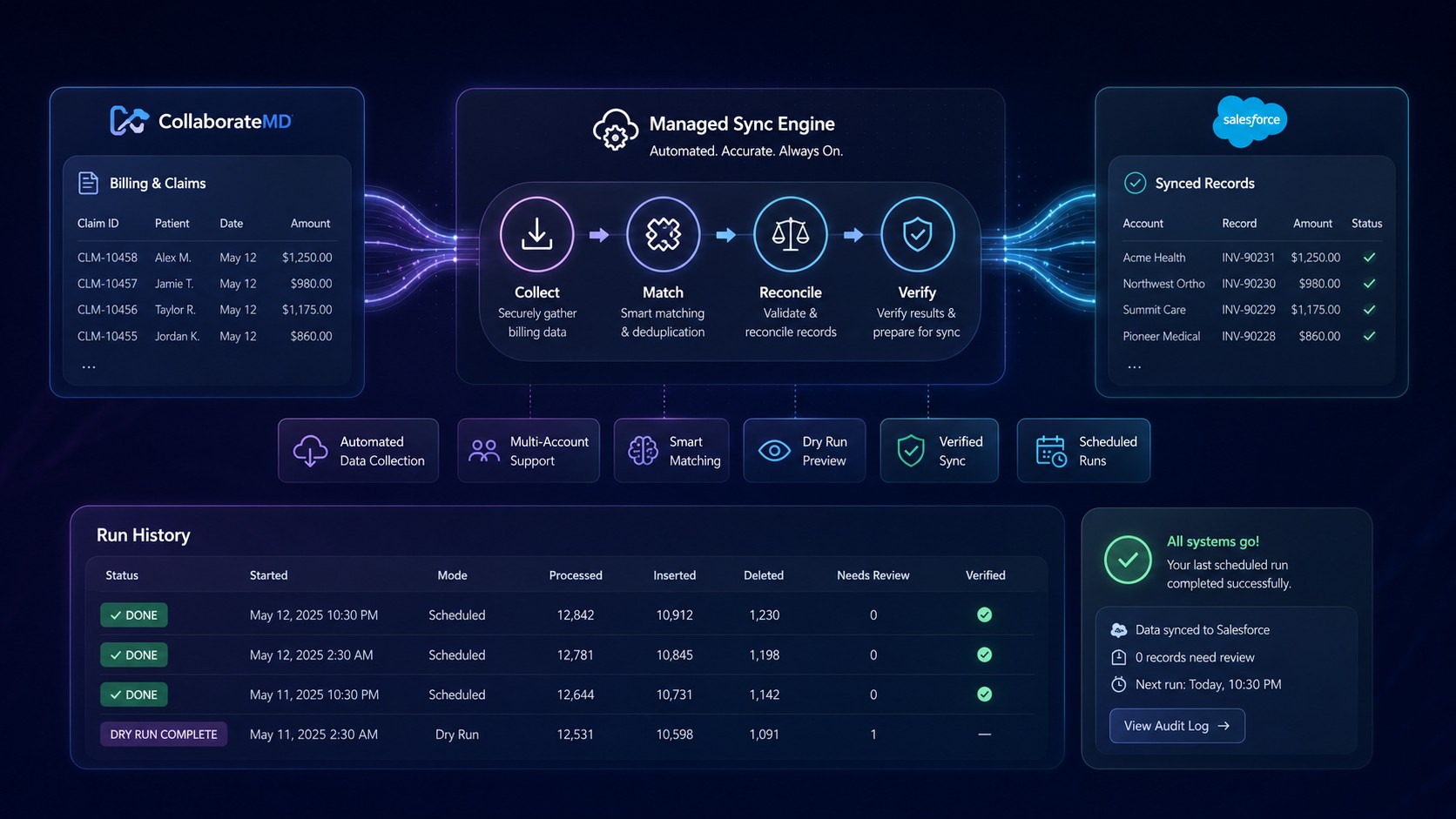
Workflow
Real working automation
How CollaborateMD billing data is collected, matched, reconciled and synchronized into Salesforce.
FAQ
CollaborateMD integration FAQ
Do we need CollaborateMD Scheduled Reports access for this to work?
No. The integration is designed so Scheduled Report access is not the only path to automation, which matters when reporting permissions differ between accounts or facilities.
Can it handle multiple CollaborateMD accounts and facilities?
Yes. Multiple environments, facilities and billing entities can be handled within one managed workflow.
How are billing records matched to patients in Salesforce?
Matching uses configured identifiers, typically insurance or member IDs first, then approved fallback criteria such as name and date of birth. Records that cannot be matched confidently are held for review.
Can we test it before it changes our Salesforce data?
Yes. A dry run previews the expected inserts, updates and removals without writing to Salesforce, so you can validate results before go-live.
Who maintains the integration?
We do. It is a fully managed service, so there is no automation server or dashboard for your team to maintain. We monitor it and handle exceptions.
Explore more
Related services
Free discovery call
Still moving CollaborateMD billing data manually?
Whether reporting access is restricted, account setups differ or your team still reconciles by hand, let’s review where the workflow can be automated.