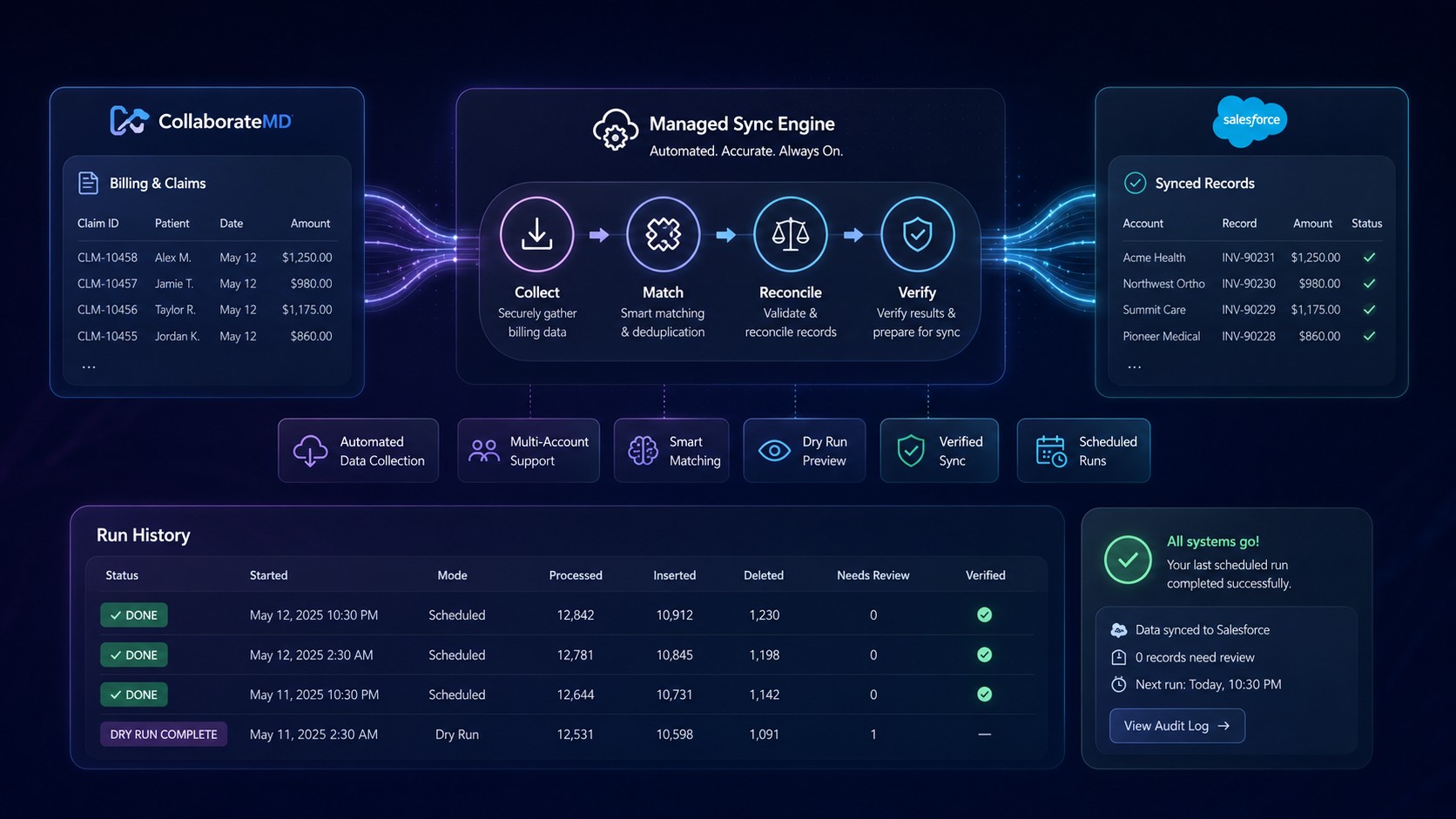
🔗 Automate Billing Sync — Even When Reporting Access Is Limited
Keep claims and billing data synchronized with Salesforce without making CollaborateMD Scheduled Reports the only path to automation.
🚀 CollaborateMD Salesforce Integration
A fully managed automation solution that keeps CollaborateMD billing and claims information synchronized with Salesforce — without requiring your billing team to manually export, reconcile, and update data every day.
It is designed for real-world environments where reporting capabilities, accounts, facilities, and access levels may not be identical.
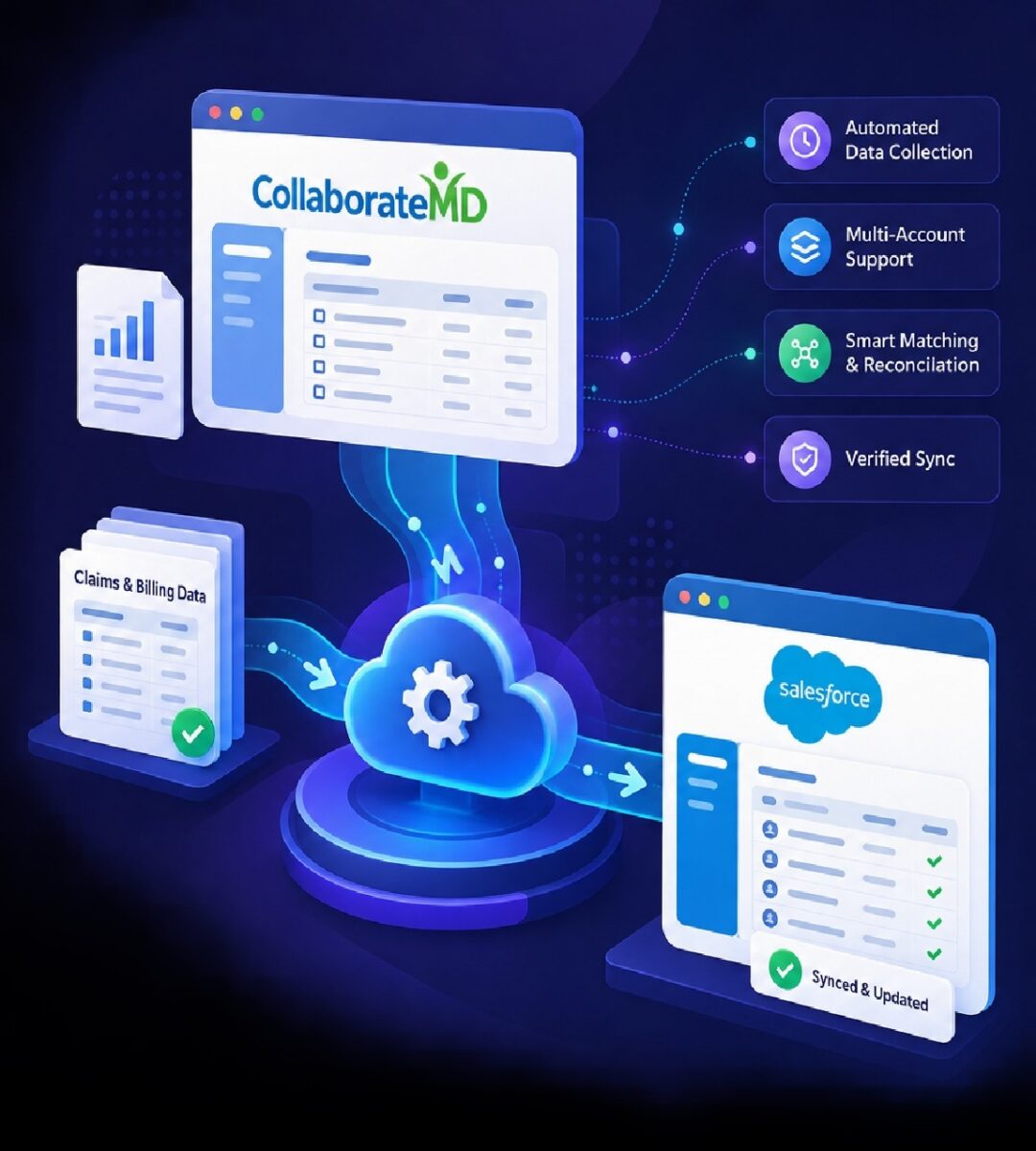
📥 Flexible Data Collection
Automate required billing and claims data without making Scheduled Report access the only path to automation.
🔗 Multi-Account Support
Support multiple CollaborateMD environments, facilities, and billing entities within one managed workflow.
🎯 Intelligent Record Matching
Match billing records to Salesforce using configured identifiers and patient information, with exceptions held for review.
🔄 Automated Reconciliation
Insert new records, refresh existing information, and remove stale data according to configured business rules.
✅ Post-Sync Verification
Confirm important Salesforce changes after processing instead of assuming the requested action succeeded.
☁️ Fully Managed Automation
No new dashboard or automation server for your billing team to maintain. Coders Region manages the workflow for you.
Don’t Let Reporting Permissions Create an Automation Gap
CollaborateMD environments are not always configured identically. Reporting capabilities can differ between accounts, facilities, or users.
When an integration depends entirely on built-in scheduled reporting, restricted access can turn an automated workflow back into a repetitive daily task.
Your Salesforce automation should adapt to the environment you actually have.
From Current Workflow to Managed Automation
1
Environment & Workflow Review
We review your CollaborateMD environments, facilities, required data, Salesforce model, and current reconciliation workflow.
2
Integration Configuration
Accounts, facilities, schedules, data selection, Salesforce mappings, and reconciliation behavior are configured.
3
Matching & Reconciliation Setup
Matching can prioritize insurance/member identifiers, then use approved fallback criteria such as name and date of birth.
4
Dry Run & Verification
Expected Salesforce changes can be previewed without live writes so matching, inserts, removals, and exceptions are validated first.
5
Go Live & Ongoing Monitoring
After approval, the workflow runs on schedule while Coders Region manages monitoring, support, and operational exceptions.
Real Working Automation
A visual overview of how CollaborateMD billing data is collected, matched, reconciled, and synchronized into Salesforce.