

🔗 Payment Gateway for Salesforce
A secure, enterprise-grade Salesforce managed package to process payments, automate billing, and route transactions across multiple gateways — all inside Salesforce.
🚀 What Is Payment Gateway for Salesforce?
Payment Gateway for Salesforce is a fully managed Salesforce package that allows organizations to securely collect, process, and manage payments directly inside Salesforce. It supports multiple payment gateways, public payment forms, scheduled processing, and advanced automation — eliminating the need for external tools or manual reconciliation.
🔁 Multi-Gateway Support
Connect Authorize.Net, CenPOS, and custom gateways from one unified interface.
🔐 Secure Payment Processing
PCI-aligned architecture with encryption and tokenization.
🌐 Public Payment Forms
Branded, secure payment links for customer self-service.
⚙️ Automated Billing
Scheduled, batch, and retry-based payment processing.
🧭 Smart Routing
Route payments across multiple merchant accounts and facilities.
📊 Complete Visibility
Full transaction logs, API logs, and error tracking.
🧩 How You Go Live with Payment Gateway for Salesforce
1
Initial Setup & Requirements
⏱ Same day
We understand your Salesforce org structure, payment use case, and gateway preferences. This helps us configure the package correctly from day one — no rework later.
2
Package Configuration
⏱ 1–2 business days
We configure the managed package inside your Salesforce org, including gateway credentials, security settings, payment flows, and routing rules — all aligned with your business needs.
3
Payment Forms & Automation
⏱ 1–2 business days
We set up public payment forms, scheduled or batch payments, retry logic, and automation rules so payments flow smoothly and securely inside Salesforce.
4
Testing & Verification
⏱ 1 business day
We test transactions end-to-end using sandbox or test credentials to ensure accurate processing, logging, notifications, and error handling before go-live.
5
Go Live & Ongoing Support
⏱ Go live immediately
Once approved, you’re live. Payments start flowing directly into Salesforce with full visibility, logs, and alerts. We remain available for support, upgrades, and scaling.
Real Working Screenshots
🔐 Encrypted Payment Link (Secure by Design)
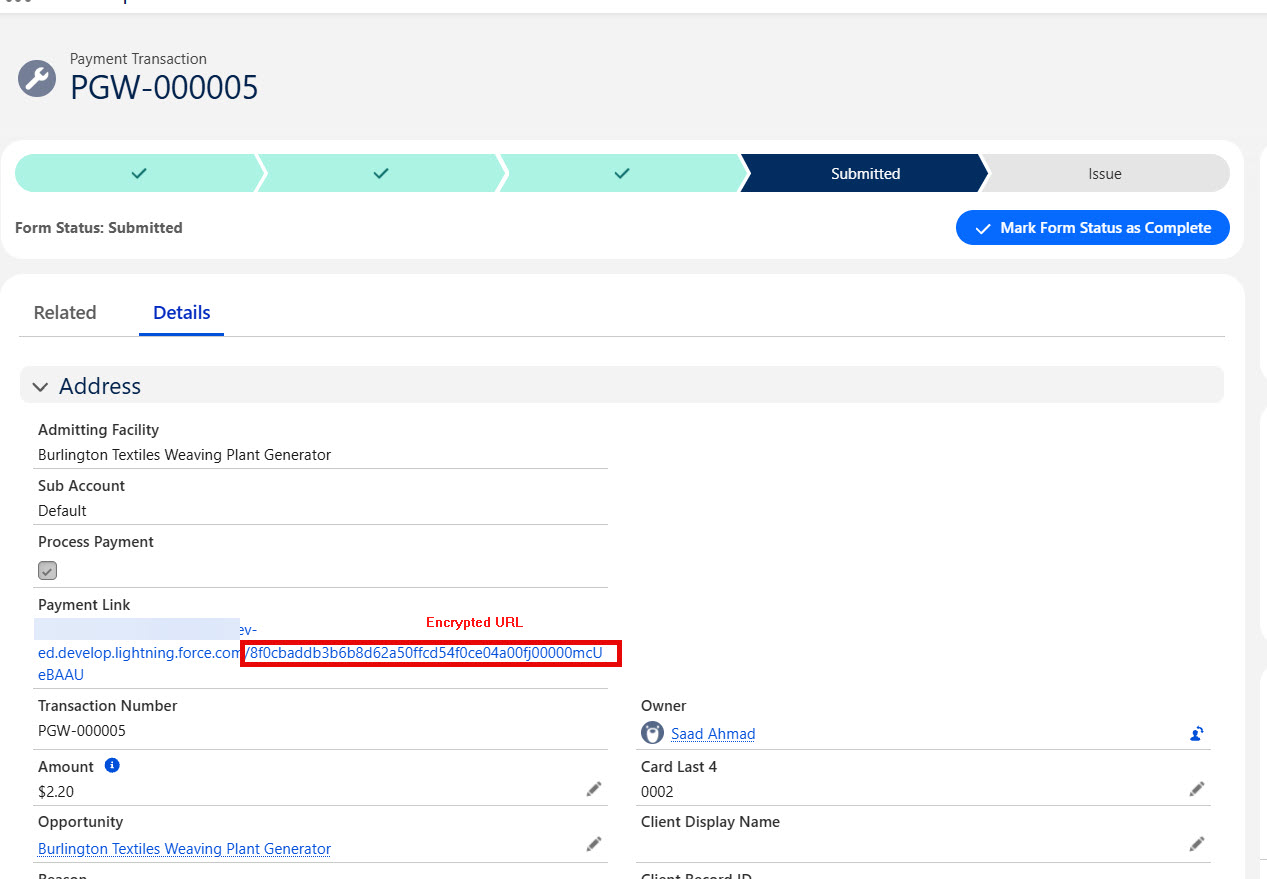
Each payment request is generated using a unique, encrypted URL that is tied to a specific transaction and recipient.
This approach ensures the payment form can only be accessed by the intended client and cannot be guessed, modified, or reused.
The encryption layer protects against link tampering, unauthorized access, and accidental sharing, making it suitable for sensitive environments such as healthcare, legal, and financial organizations.
📧 Professional Payment Request Email
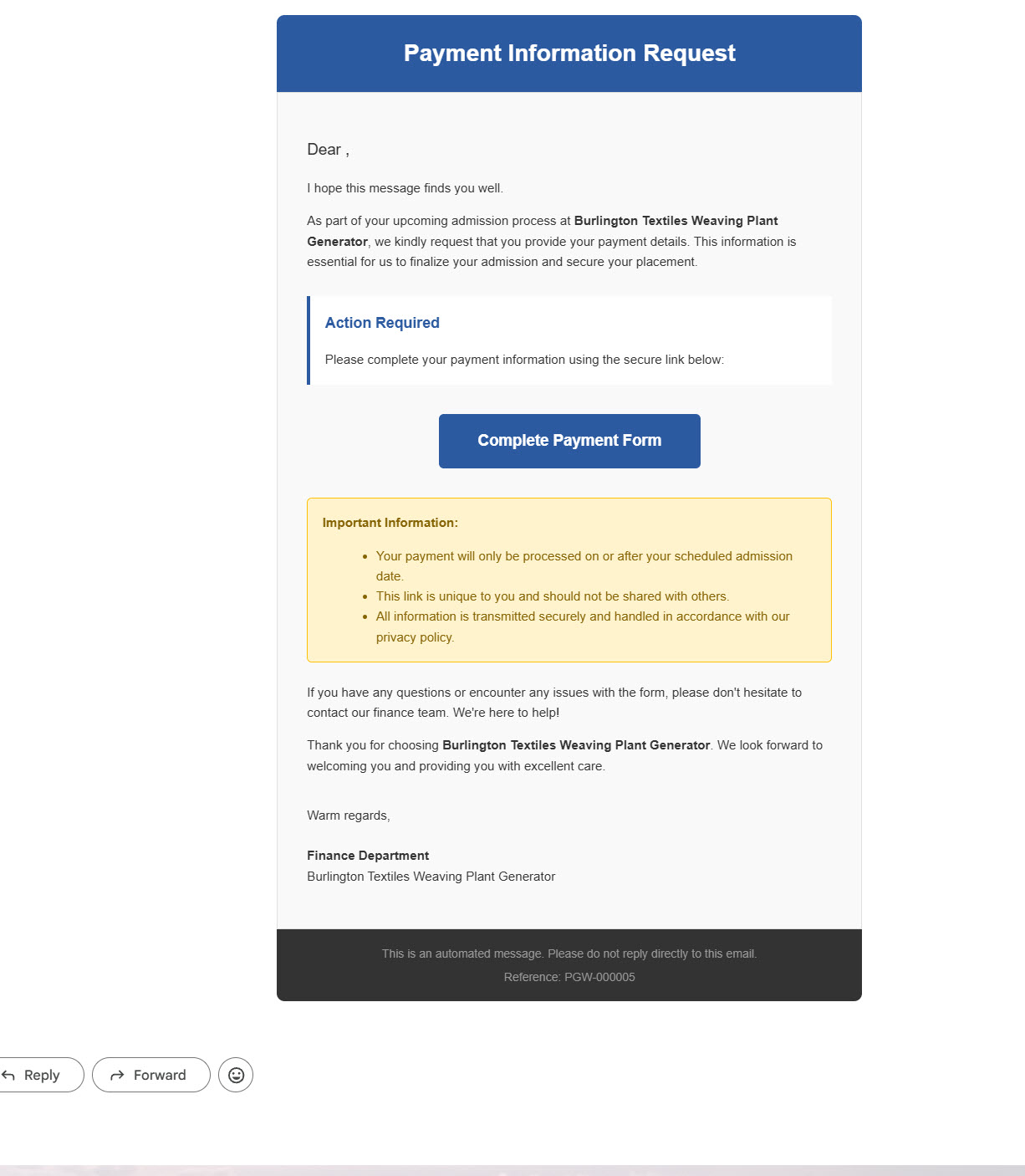
Clients receive a clean, professional payment request email.
The email clearly explains the purpose, includes a secure call-to-action button, and builds trust while guiding the client to complete payment confidently.
🌐 Secure Public Payment Form
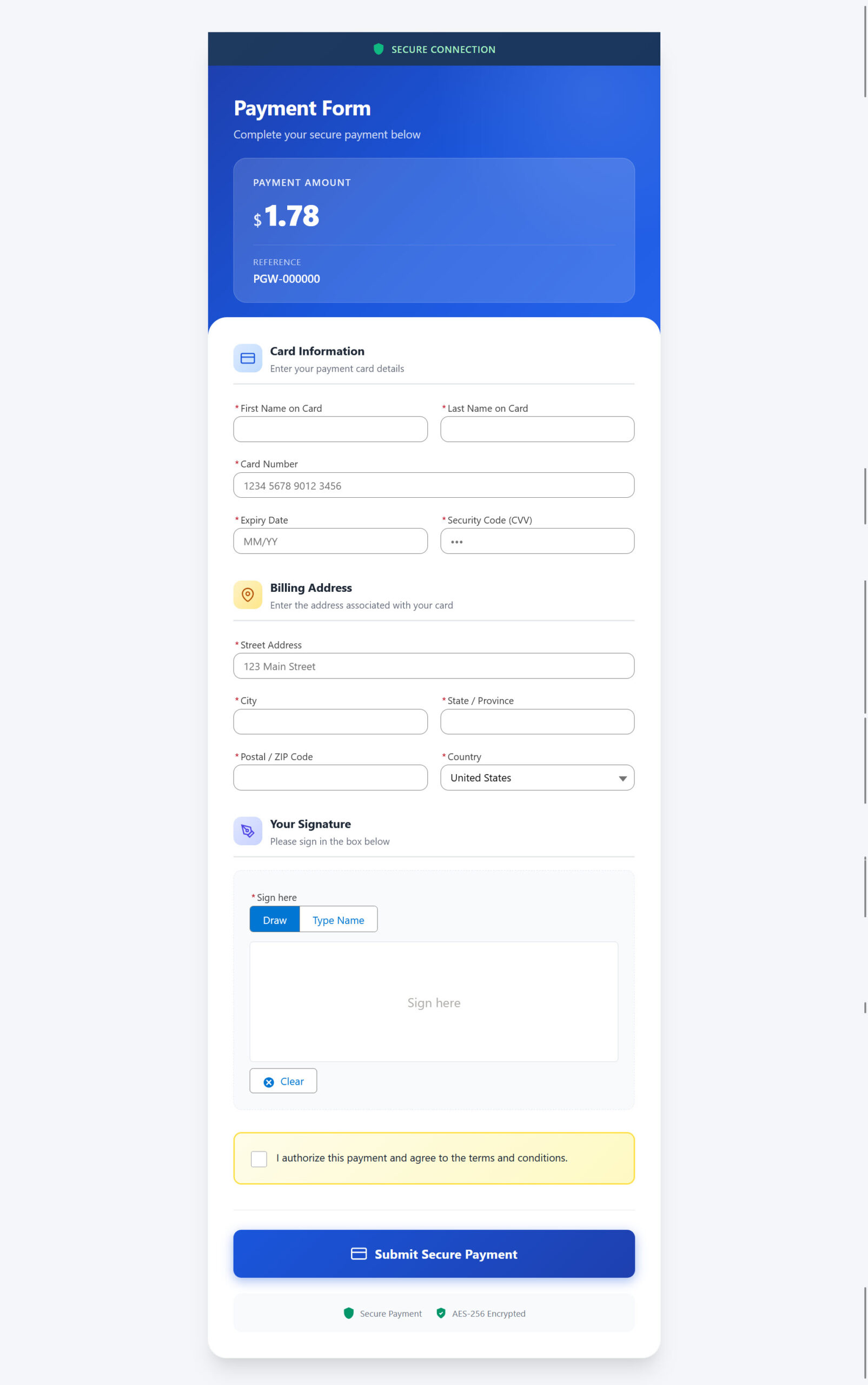
A secure, branded public payment form hosted via Salesforce.
Clients can enter card details, billing address, and provide consent with signature capture — all without needing Salesforce access.
❌ Smart Error Handling on Payment Form
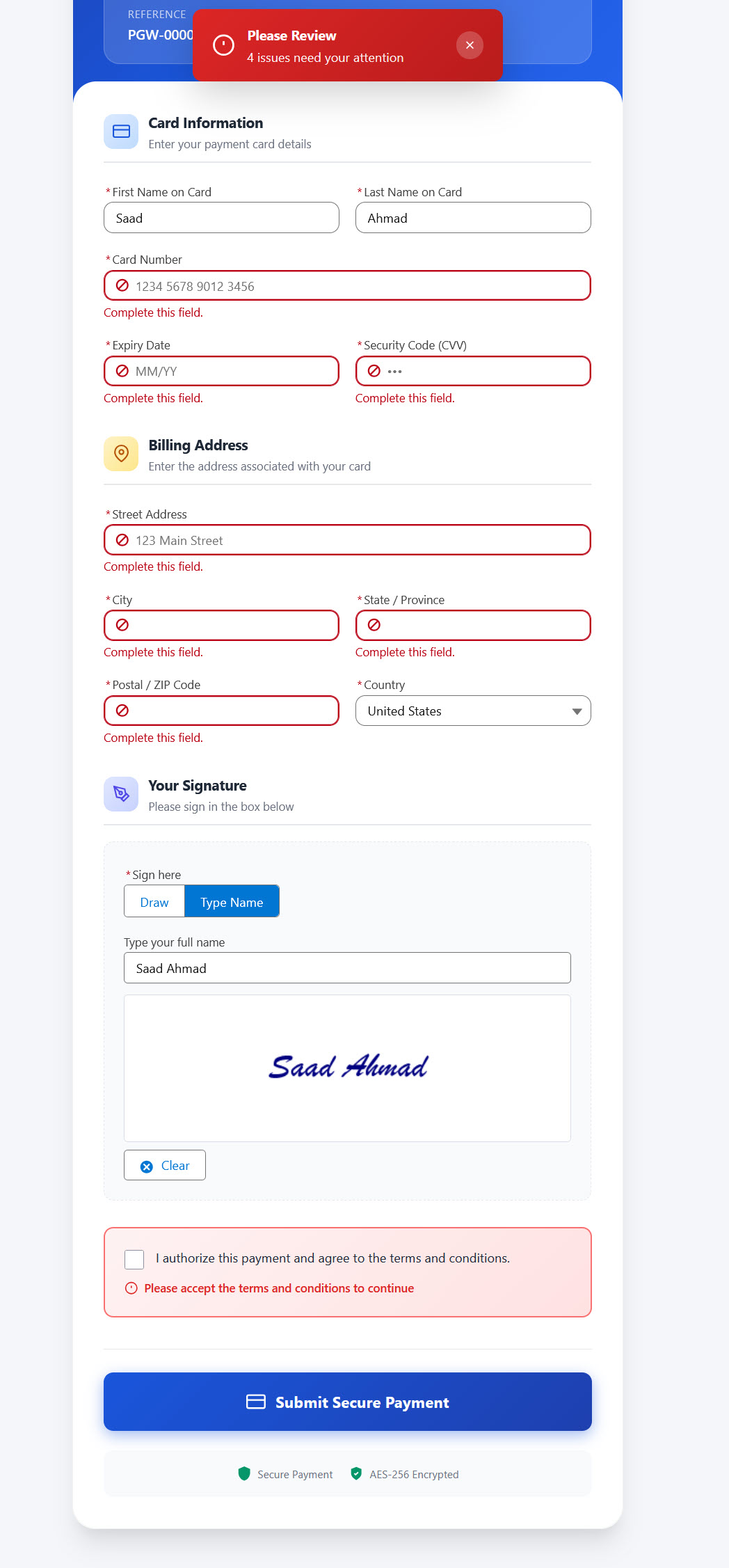
Real-time validation and clear error messages.
Invalid card numbers, missing fields, or incorrect details are caught instantly, reducing failed submissions and support follow-ups.
⛔ Automatic Link Expiry & Protection
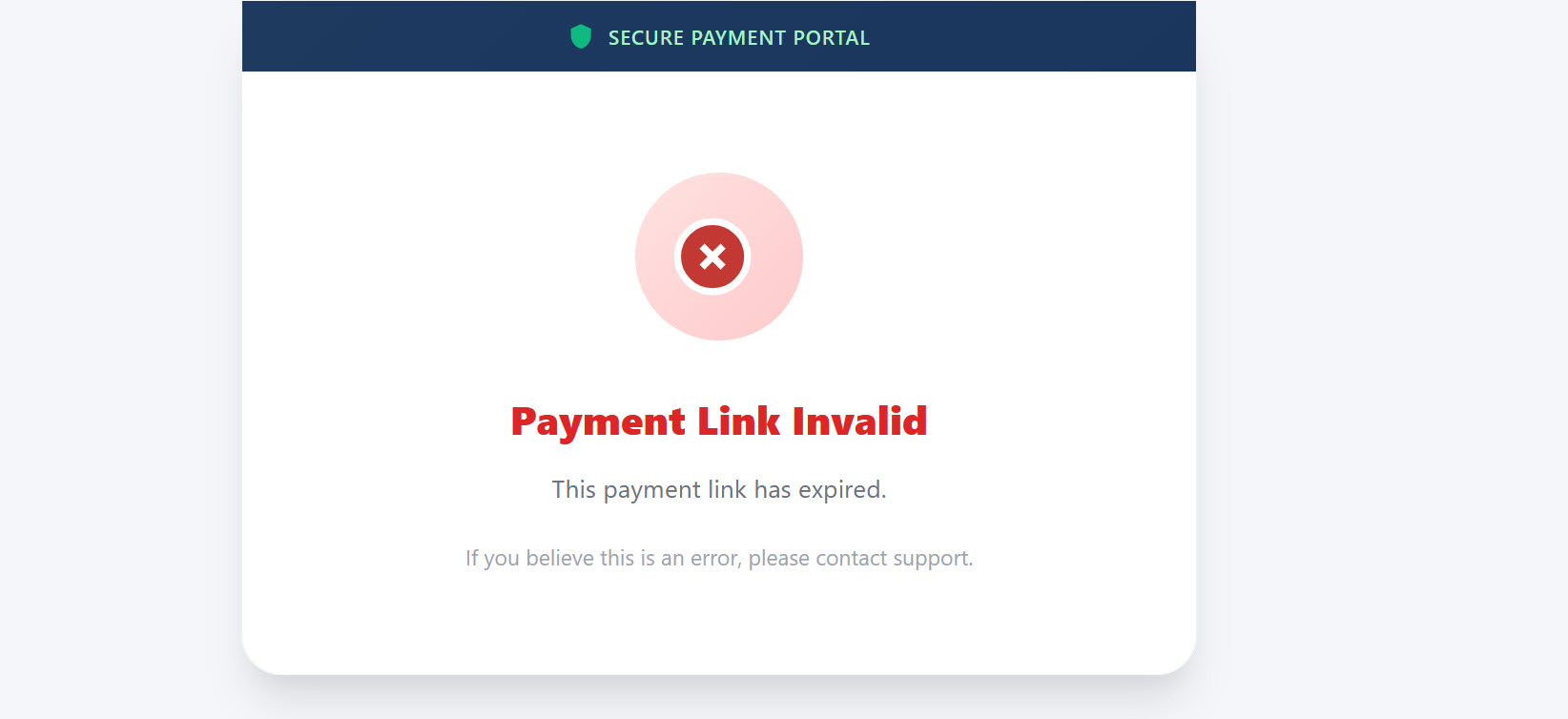
Payment links automatically expire based on configurable rules such as time limits or transaction status changes.
Once expired, the link is invalidated and cannot be reused, ensuring payments are not submitted accidentally or maliciously.
This protects against duplicate payments, outdated requests, and unauthorized retries, while giving administrators full control over link validity.
📬 Email Activity Tracking in Salesforce
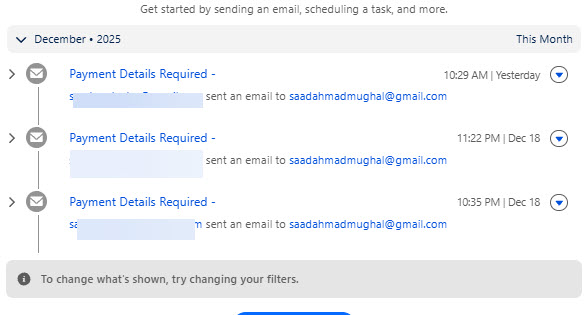
All payment-related emails are automatically logged against the relevant Salesforce records.
Admins can see exactly when emails were sent, to whom they were delivered, and which transaction they relate to.
This eliminates manual tracking and provides a complete communication history for finance and support teams.
🧾 Automatic PDF Generation (Legal-Ready)
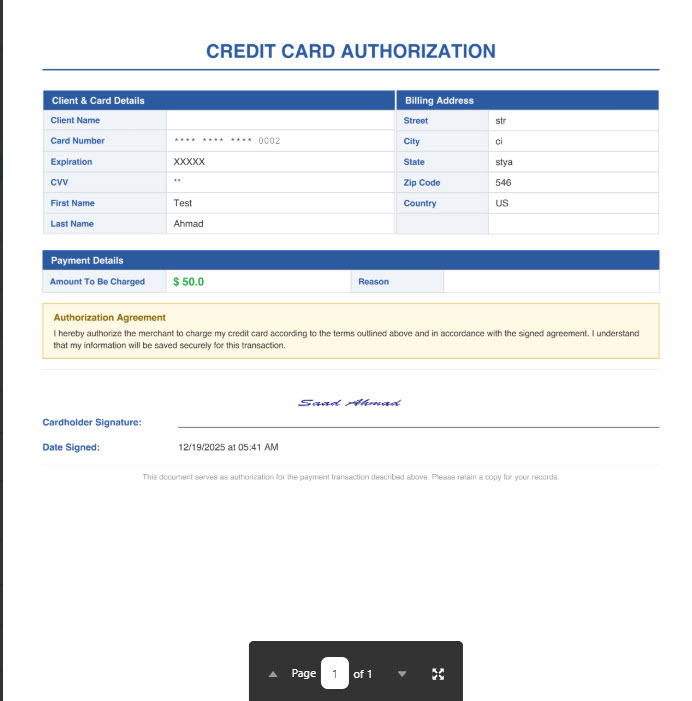
A signed authorization PDF is generated automatically.
Includes masked card details, billing information, amount, date, and client signature — suitable for legal, audit, and compliance needs.
📜 Complete Payment & API Logging
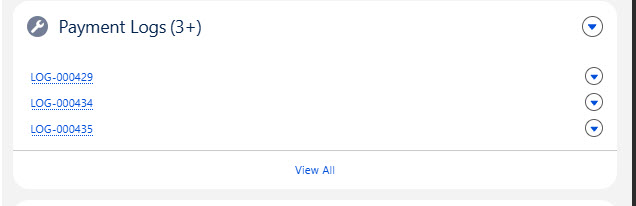
Every payment action is logged in detail, including request data, gateway responses, success or failure states, and error messages.
These logs provide full transparency into what happened at each step of the transaction lifecycle.
This level of logging is critical for troubleshooting, audits, and enterprise-grade operational monitoring.
📊 Centralized Admin Dashboard
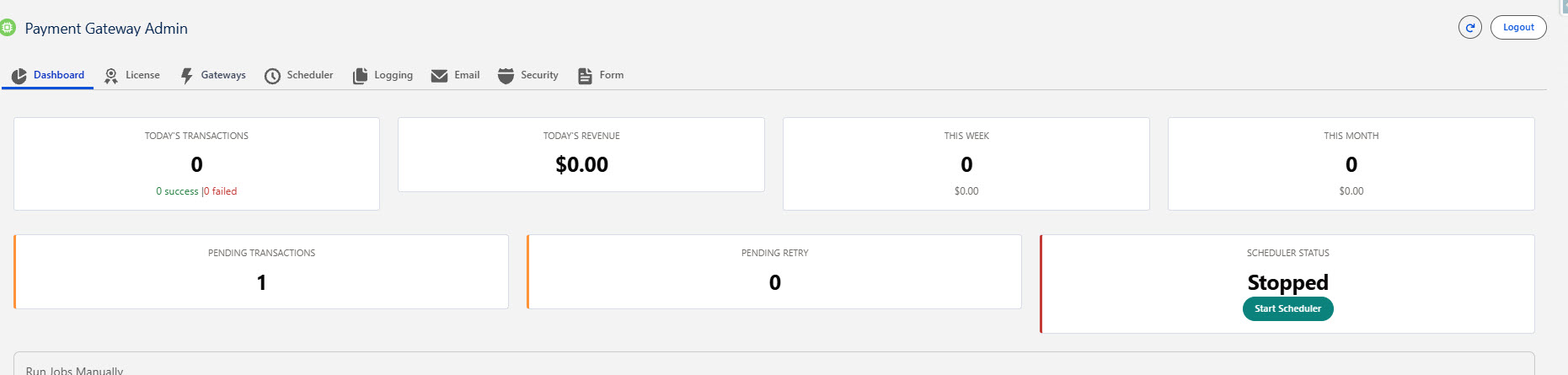
A dedicated admin dashboard provides a single place to monitor payment activity across the organization.
Admins can view daily revenue, pending transactions, retries, scheduler status, and overall system health at a glance.
This enables proactive monitoring, faster issue resolution, and confident scaling as payment volume increases.
6️⃣ PRICING & SUBSCRIPTION PLANS
Simple, transparent pricing built for scale, security, and growing payment volume.
Standard
Features
- 500 Transactions
- Authorize.Net Gateway
- Public Payment Forms
- Signature Capture
- Basic Encryption
- Email Support
Business
⭐ Recommended
Best for: Healthcare clinics, legal firms, service businesses
- Unlimited Transactions
- Authorize.Net + CenPOS Gateways
- Advanced Batch Processing
- Automated Retry Logic
- Multi-Facility Routing
- Advanced Encryption
- Detailed Logging
- Priority Support
Designed for reliability, security, and scale — with encrypted processing, detailed logging, and flexible subscription plans that grow with your organization.
